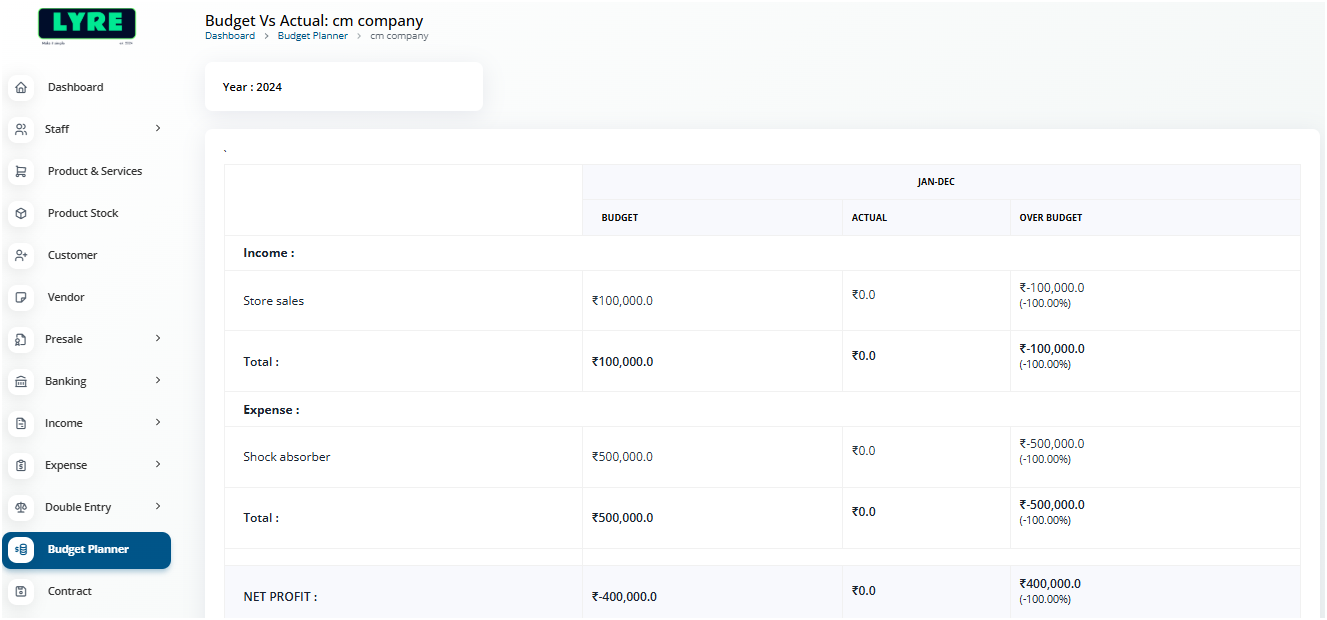
Create Budget Planer
Attention
Here in this example we have created a budgent planner only for Sales for a year. You can set the planner for mulitple categories like expense, sale, etc,.
-
Login to your GstBillBooks(https://gstbillbooks.com/) application account.
-
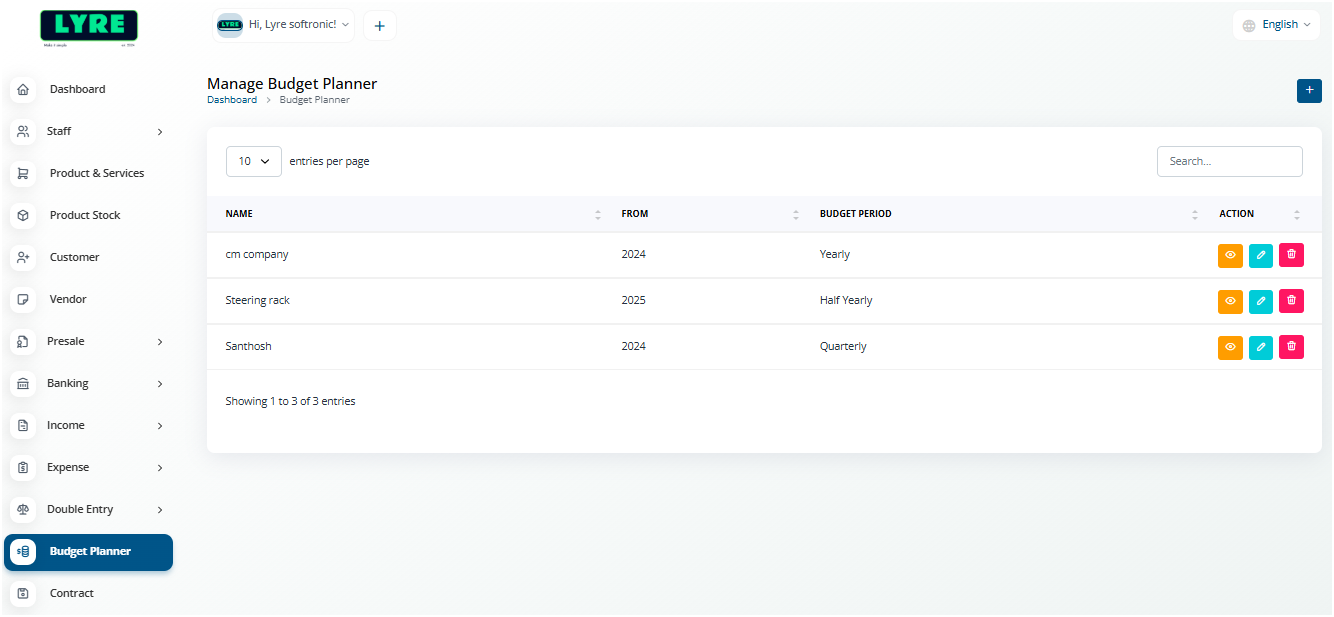
Choose Budget Planner on the left side menu.
-
Click on the '+' plus button on top right side to create.
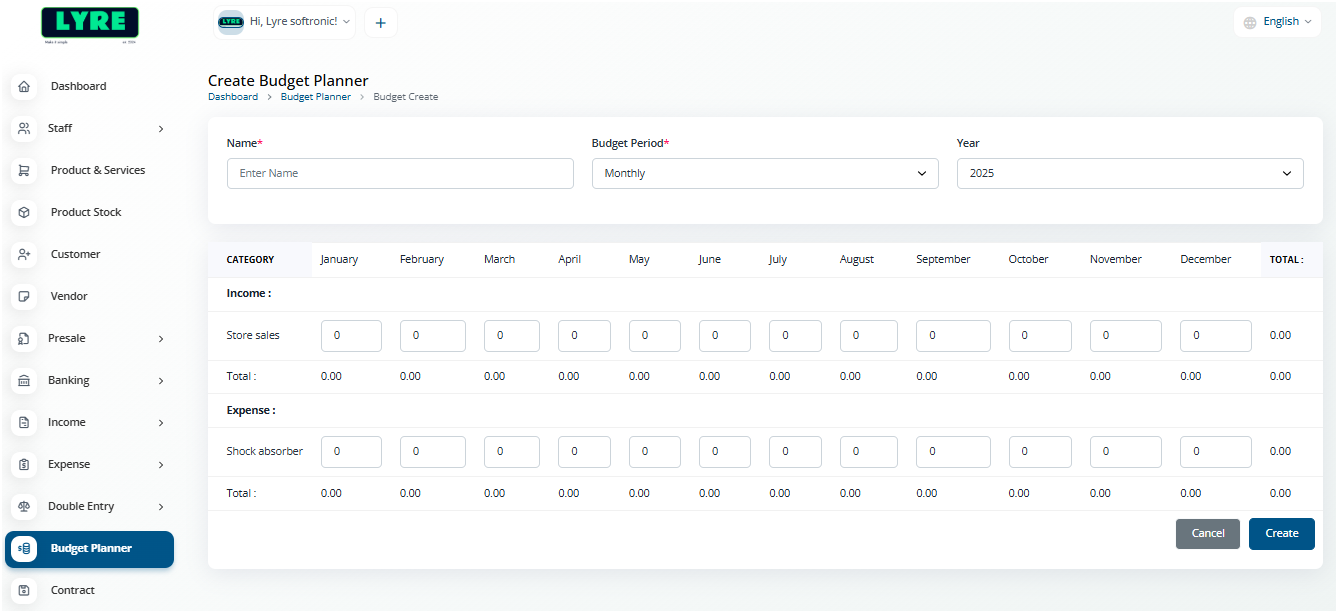
- On the create page set the Name Period and Year and set the budget for the selected category.
-
Once done click Create at the bottom left side.
-
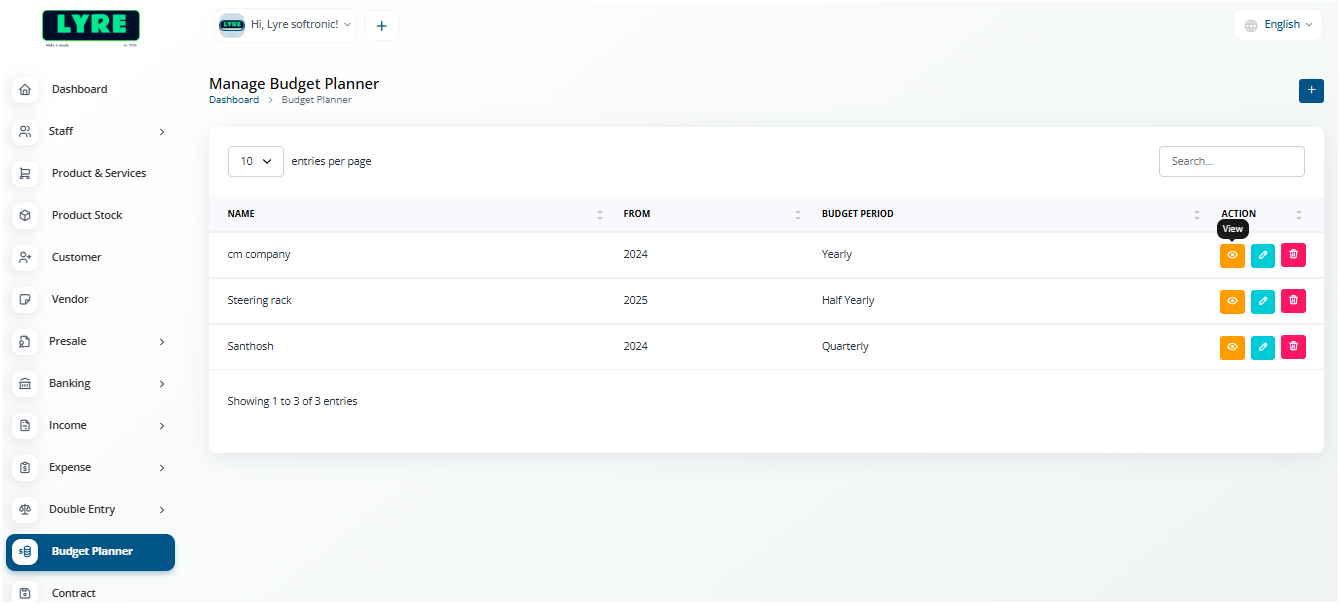
View the budget from the budget list by clicking the Eye icon.
- On viewing the budget you can see the actual vs planned budget.